Catpuccin Scheme Generator
2025-12-01For a project I was working recently I wanted to see if I could start with a fairly limited color palette so I didn't have to worry too much about colors.
To be clear, I'm not referring to my current website, which only uses two colors (in light or dark):


















So, I thought I'd give Catpuccin a try. I don't think it is really built for UI color schemes, more for IDEs and such, but I still wanted to give it a try. On the other hand, it is a good fit because it provides theme variables that are agnostic (e.g. surface0) so when mapped onto a color can be used regardless of the user's color scheme.
After some research, I found that Catpuccin provides css vars:
This is reasonable, but not exactly what I want. In my code, I only want to style using the name of the color separate from the particular theme. Given a var like this:
--ctp-latte-surface0: #ccd0da;
What I am looking for is a var like this:
--color-surface0: #ccd0da;
/* or */
--color-surface0: var(--ctp-latte-surface0);
Then, I will assign two different colors to the same var depending on the user's preferred scheme. Given there is only one light theme I would have to use latte theme for the light scheme.
I could probably just import all the vars and then instruct AI to create the light dark schemes. However, I found that Catpuccin provides some simple tooling for code generation called whiskers: GitHub - catppuccin/whiskers: 😾 Soothing port creation tool for the high-spirited!
Whiskers is a tool that uses tera templates to generate code based on one or multiple Catpuccin themes. I could not find whiskers in the AUR repository, and I don't feel like installing homebrew, so I just grabbed the binary from the releases on github.
the tera template looks like this:
---
whiskers:
  version: "^2.5.1"
---
:root {
{%- for name, color in flavor.colors %}
    --color-{{name}}: #{{color.hex}};
{%- endfor %}
}
Then a simple shell script to generate the theme and format it:
justfile:
#!/bin/bash

set -euo pipefail

if [ -z "${1:-}" ]; then
    echo "Usage: $0 <output-file>"
    exit 1
fi

out="$1"

tmp=$(mktemp)
trap "rm -f $tmp" EXIT

cat <<EOF > "$tmp"
---
whiskers:
  version: "^2.5.1"
---
:root {
{%- for name, color in flavor.colors %}
    --color-{{name}}: #{{color.hex}};
{%- endfor %}
}
EOF

mkdir -p "$(dirname "$out")"

# Light theme (Latte)
whiskers "$tmp" --flavor latte > "$out"

printf "\n" >> "$out"

# Dark theme (Mocha) wrapped in media query
printf "@media (prefers-color-scheme: dark) {\n" >> "$out"
whiskers "$tmp" --flavor mocha >> "$out"
printf "}\n" >> "$out"

bunx prettier --write "$out"
I prefer bun (truthfully, I prefer not-node), but npx would work here for formatting. This is the output:
:root {
  --color-rosewater: #dc8a78;
  --color-flamingo: #dd7878;
  --color-pink: #ea76cb;
  --color-mauve: #8839ef;
  --color-red: #d20f39;
  --color-maroon: #e64553;
  --color-peach: #fe640b;
  --color-yellow: #df8e1d;
  --color-green: #40a02b;
  --color-teal: #179299;
  --color-sky: #04a5e5;
  --color-sapphire: #209fb5;
  --color-blue: #1e66f5;
  --color-lavender: #7287fd;
  --color-text: #4c4f69;
  --color-subtext1: #5c5f77;
  --color-subtext0: #6c6f85;
  --color-overlay2: #7c7f93;
  --color-overlay1: #8c8fa1;
  --color-overlay0: #9ca0b0;
  --color-surface2: #acb0be;
  --color-surface1: #bcc0cc;
  --color-surface0: #ccd0da;
  --color-base: #eff1f5;
  --color-mantle: #e6e9ef;
  --color-crust: #dce0e8;
}

@media (prefers-color-scheme: dark) {
  :root {
    --color-rosewater: #f5e0dc;
    --color-flamingo: #f2cdcd;
    --color-pink: #f5c2e7;
    --color-mauve: #cba6f7;
    --color-red: #f38ba8;
    --color-maroon: #eba0ac;
    --color-peach: #fab387;
    --color-yellow: #f9e2af;
    --color-green: #a6e3a1;
    --color-teal: #94e2d5;
    --color-sky: #89dceb;
    --color-sapphire: #74c7ec;
    --color-blue: #89b4fa;
    --color-lavender: #b4befe;
    --color-text: #cdd6f4;
    --color-subtext1: #bac2de;
    --color-subtext0: #a6adc8;
    --color-overlay2: #9399b2;
    --color-overlay1: #7f849c;
    --color-overlay0: #6c7086;
    --color-surface2: #585b70;
    --color-surface1: #45475a;
    --color-surface0: #313244;
    --color-base: #1e1e2e;
    --color-mantle: #181825;
    --color-crust: #11111b;
  }
}
Now I can use these vars in my css and have it switch themes automatically based on the user's preferred scheme. This is great for working within an intentionally restrictive palette while building a site.
This works great for regular CSS, but depending on the project I like to use tailwind. I especially like not having to drive all scheme responsiveness through adding or omitting dark: prefixed tailwind classes. Catpuccin provides a plugin for tailwind, but this sort-of recreates the problem I had with the original CSS vars. Here's a solution for creating a tailwind theme that allows you to use color vars and have them switch automatically. Note: this uses the Tailwind 4 CSS config syntax.
#!/bin/bash

set -euo pipefail

if [ -z "${1:-}" ]; then
    echo "Usage: $0 <output-file>"
    exit 1
fi

out="$1"

theme=$(mktemp)
trap "rm -f $theme" EXIT

cat <<EOF > "$theme"
---
whiskers:
  version: "^2.5.1"
---
:root {
{%- for name, color in flavor.colors %}
  --theme-color-{{name}}: #{{color.hex}};
{%- endfor %}
}
EOF

mkdir -p "$(dirname "$out")"

# light theme (Latte)
whiskers "$theme" --flavor latte > "$out"

printf "\n" >> "$out"

# dark theme (Mocha) wrapped in media query
printf "@media (prefers-color-scheme: dark) {\n" >> "$out"
whiskers "$theme" --flavor mocha >> "$out"
printf "}\n" >> "$out"

printf "\n" >> "$out"

# next, need to map the --theme-color- to --color- for the tailwind theme
printf "@theme {\n" >> "$out"

# clear out all of tailwind's colors
printf "  --color-*: initial;" >> "$out"

vars=$(mktemp)
trap "rm -f $vars" EXIT

cat <<EOF > "$vars"
---
whiskers:
  version: "^2.5.1"
---
{%- for name, color in flavor.colors %}
  --color-{{name}}: var(--theme-color-{{name}});
{%- endfor %}
EOF

# theme doesn't matter here. Just need var names
whiskers "$vars" --flavor latte >> "$out"

printf "}\n" >> "$out"

bunx prettier --write "$out"
And this creates:
:root {
  --theme-color-rosewater: #dc8a78;
  --theme-color-flamingo: #dd7878;
  --theme-color-pink: #ea76cb;
  --theme-color-mauve: #8839ef;
  --theme-color-red: #d20f39;
  --theme-color-maroon: #e64553;
  --theme-color-peach: #fe640b;
  --theme-color-yellow: #df8e1d;
  --theme-color-green: #40a02b;
  --theme-color-teal: #179299;
  --theme-color-sky: #04a5e5;
  --theme-color-sapphire: #209fb5;
  --theme-color-blue: #1e66f5;
  --theme-color-lavender: #7287fd;
  --theme-color-text: #4c4f69;
  --theme-color-subtext1: #5c5f77;
  --theme-color-subtext0: #6c6f85;
  --theme-color-overlay2: #7c7f93;
  --theme-color-overlay1: #8c8fa1;
  --theme-color-overlay0: #9ca0b0;
  --theme-color-surface2: #acb0be;
  --theme-color-surface1: #bcc0cc;
  --theme-color-surface0: #ccd0da;
  --theme-color-base: #eff1f5;
  --theme-color-mantle: #e6e9ef;
  --theme-color-crust: #dce0e8;
}

@media (prefers-color-scheme: dark) {
  :root {
    --theme-color-rosewater: #f5e0dc;
    --theme-color-flamingo: #f2cdcd;
    --theme-color-pink: #f5c2e7;
    --theme-color-mauve: #cba6f7;
    --theme-color-red: #f38ba8;
    --theme-color-maroon: #eba0ac;
    --theme-color-peach: #fab387;
    --theme-color-yellow: #f9e2af;
    --theme-color-green: #a6e3a1;
    --theme-color-teal: #94e2d5;
    --theme-color-sky: #89dceb;
    --theme-color-sapphire: #74c7ec;
    --theme-color-blue: #89b4fa;
    --theme-color-lavender: #b4befe;
    --theme-color-text: #cdd6f4;
    --theme-color-subtext1: #bac2de;
    --theme-color-subtext0: #a6adc8;
    --theme-color-overlay2: #9399b2;
    --theme-color-overlay1: #7f849c;
    --theme-color-overlay0: #6c7086;
    --theme-color-surface2: #585b70;
    --theme-color-surface1: #45475a;
    --theme-color-surface0: #313244;
    --theme-color-base: #1e1e2e;
    --theme-color-mantle: #181825;
    --theme-color-crust: #11111b;
  }
}

@theme {
  --color-*: initial;
  --color-rosewater: var(--theme-color-rosewater);
  --color-flamingo: var(--theme-color-flamingo);
  --color-pink: var(--theme-color-pink);
  --color-mauve: var(--theme-color-mauve);
  --color-red: var(--theme-color-red);
  --color-maroon: var(--theme-color-maroon);
  --color-peach: var(--theme-color-peach);
  --color-yellow: var(--theme-color-yellow);
  --color-green: var(--theme-color-green);
  --color-teal: var(--theme-color-teal);
  --color-sky: var(--theme-color-sky);
  --color-sapphire: var(--theme-color-sapphire);
  --color-blue: var(--theme-color-blue);
  --color-lavender: var(--theme-color-lavender);
  --color-text: var(--theme-color-text);
  --color-subtext1: var(--theme-color-subtext1);
  --color-subtext0: var(--theme-color-subtext0);
  --color-overlay2: var(--theme-color-overlay2);
  --color-overlay1: var(--theme-color-overlay1);
  --color-overlay0: var(--theme-color-overlay0);
  --color-surface2: var(--theme-color-surface2);
  --color-surface1: var(--theme-color-surface1);
  --color-surface0: var(--theme-color-surface0);
  --color-base: var(--theme-color-base);
  --color-mantle: var(--theme-color-mantle);
  --color-crust: var(--theme-color-crust);
}
Now you can use these vars in tailwind classes:
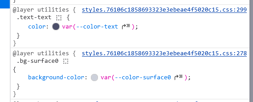
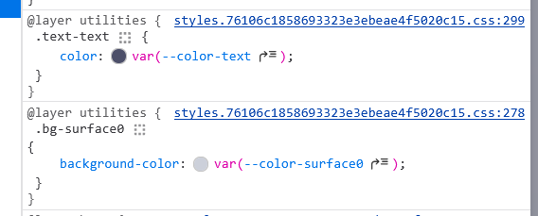
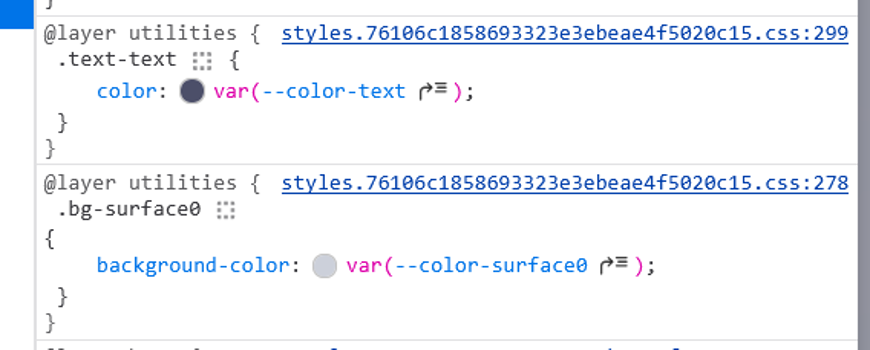
<body class="text-text bg-surface0">
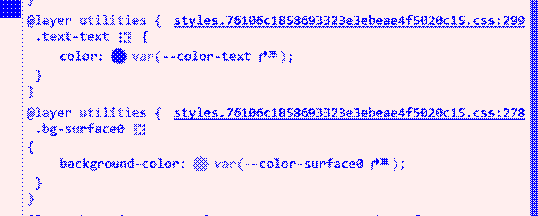
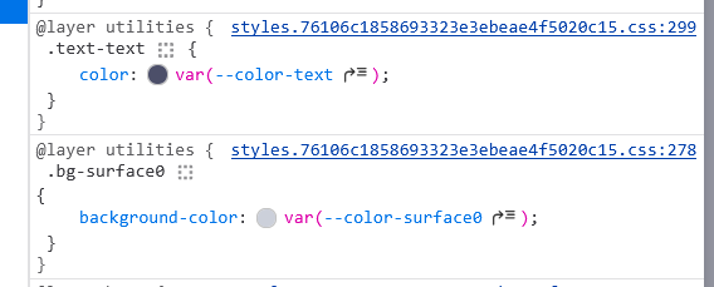
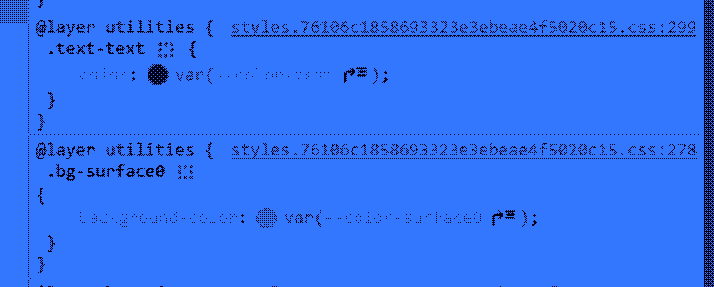
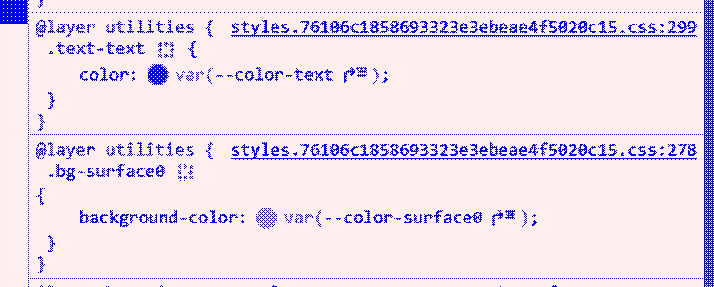
Unfortunately text-text is a bit weird, but it works:



After using Catpuccin in this way, I'm not sure If I think it is a good fit for a color theme for UI. I will keep at it though and see what I think after using a bit more.
I think next, I would like to use the Color Graphics Adapter - Wikipedia (CGA) color palette. It is a somewhat quirky 16 color palette. However, I would need to develop my own set of semantic vars (text, surface0) on top of it before I could use it for user color schemes.